Two-Factor Authentication (2FA) provides an extra layer of security. After entering your password, 2FA requires a second piece of verification (like a time-sensitive code) to confirm your identity. This significantly reduces the risk of unauthorized access.
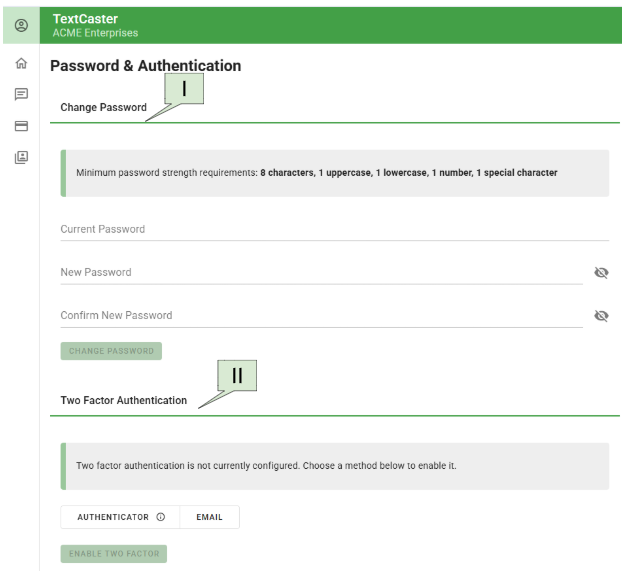
TextCaster supports 2FA via:
Email
Text
Authenticator application.
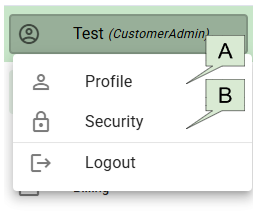
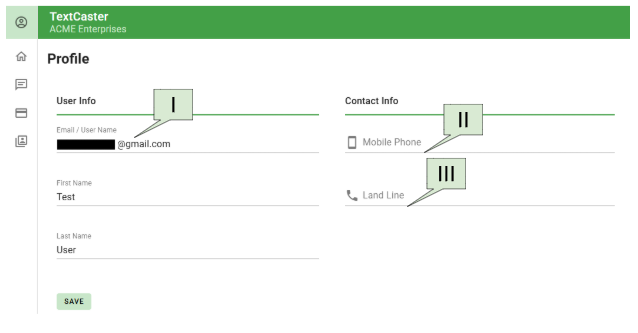
To enable Email or Text 2FA, ensure your corresponding profile fields are filled out.
Download an Authenticator App: Download a trusted authenticator app to your smartphone or tablet.
Add TextCaster to the App: Within the TextCaster Security settings, you will find an option to set up 2FA with an authenticator app. This typically involves scanning a QR code displayed on your TextCaster dashboard with your authenticator app or manually entering a secret key.
Generate and Enter Code: Once added, the authenticator app will generate a time-sensitive, six-digit verification code. You will enter this code into the TextCaster login prompt after entering your password. The code refreshes every 30-60 seconds, providing enhanced security.